
See how it fits together.
Explore measurements around the body systems they belong to, with reference intervals for context.
Bring your lab results, body composition and interventions together. See where each measurement fits—and how your record changes over time.
Let Codex or Claude handle the import.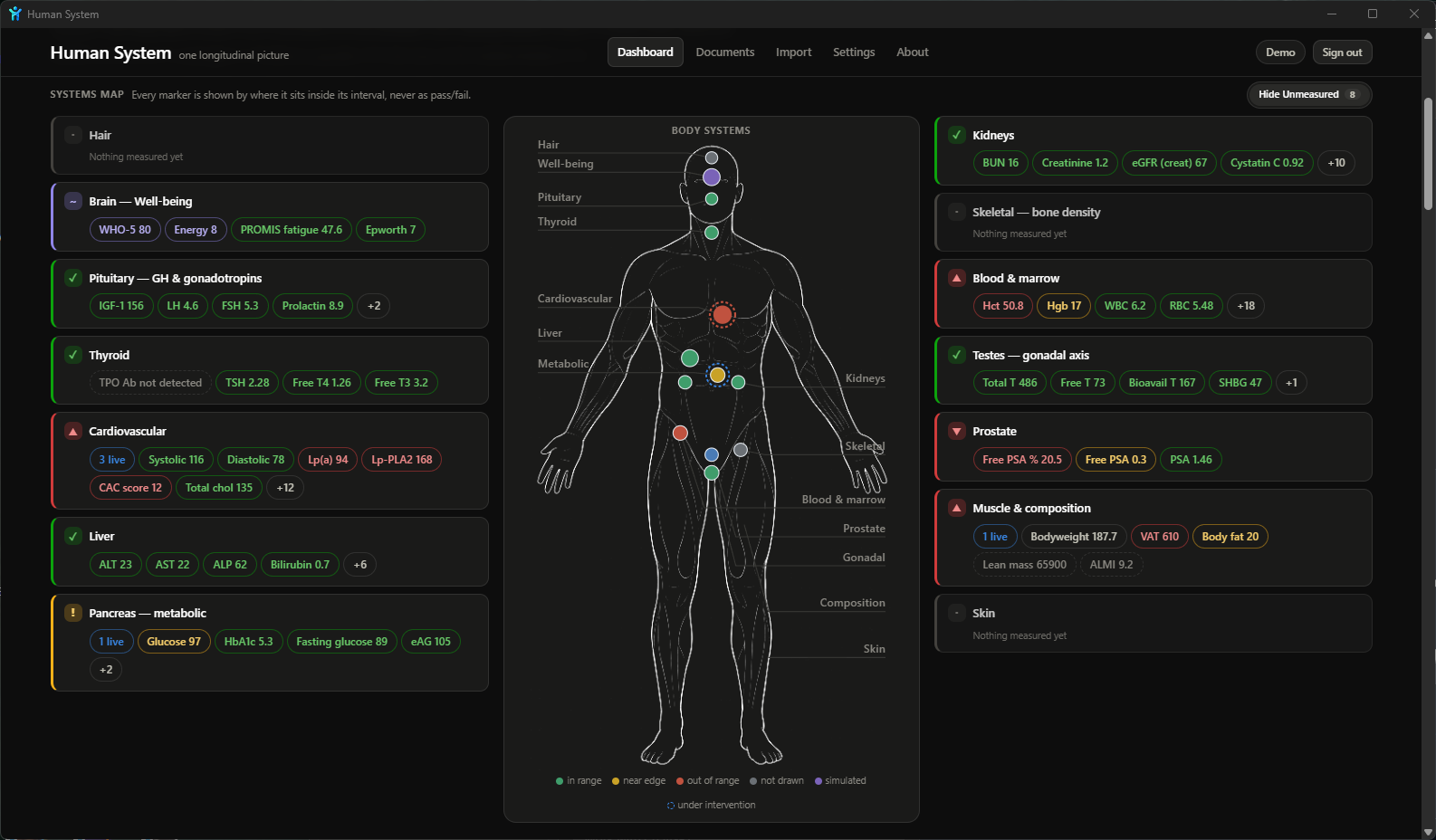
The Human System dashboard · body systems, measurements and context in one view.
Connect your AI assistant to Human System and ask it to import your records. It can organize the data and check the import before adding it to your record.
Human System provides an import interface for connected AI assistants. Your assistant prepares the records, checks them with a dry run, and submits the import. Initial connection and access setup are required; this is a workflow you initiate.
You choose which records to share with your AI assistant. The assistant's data handling is separate from the records stored in Human System.
Your Human System record lives on your computer or your own server. You control where it is stored.
Explore measurements around the body systems they belong to, with reference intervals for context.
Bring biomarkers, body composition and interventions into the same record over time.
Run Human System on your computer or your own server, with control over your files and data.
Requires Windows 11 (build 22000 or later) on an x64 PC.

Human System supports Docker and the Rasputin app catalog.
Public installation instructions will be linked here when available.
Run Human System alongside the other apps on your own hardware.
Your Human System record is stored on your computer or your own server. If you choose to use OpenAI or Anthropic, the information shared with the assistant is sent to that provider for processing. Its data-handling and retention policies apply.
Human System organizes health information. It does not diagnose or recommend treatment. Interpretation belongs with your clinician.